Javascript Connection Example⚓︎
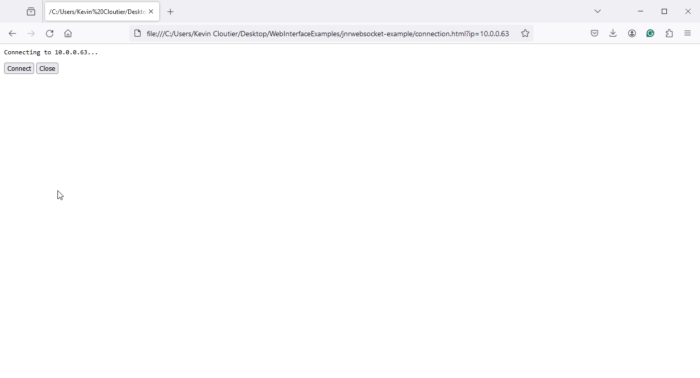
This example shows how to connect to a JNIOR using the JnrWebsocket library. It also shows a simple use of the connection listeners.
<html>

<head>
    <script src="integ/comm.js"></script>
    <script src="integ/md5.js"></script>
    <script src="integ/base64.js"></script>
    <script src="integ/jnrWebsocket.js"></script>
</head>

<body>

    <!-- the connection status -->
    <pre id="status"> </pre>

    <!-- buttons to control the connection -->
    <button id="connect-button" onclick="connect_button_click()">Connect</button>
    <button id="close-button" onclick="close_button_click()" disabled="disabled">Close</button>


    <!-- the javascript -->
    <script>

        const connect_button = document.getElementById('connect-button');
        const close_button = document.getElementById('close-button');

        // gets called to update the status element with text and a new color
        function updateStatus(text, color) {
            var statusElement = document.getElementById('status');
            statusElement.innerText = text;
            statusElement.style.color = color;
        }


        // gets called when the user clicks the connect button.  we should disable the connect
        // button so the user cant press it again until the connection is closed
        function connect_button_click() {
            updateStatus(`Connecting to ${ip}...`, 'black');
            jnrwebsocket.connect('ws://' + ip);
            connect_button.disabled = true;
        }


        // gets called when the user clicks the close button.  we should disable the close
        // button so the user cant press it again until the connection is opened
        function close_button_click() {
            updateStatus(`Closing...`, 'black');
            jnrwebsocket.close();
            close_button.disabled = true;
        }


        //
        // get the ip address from the url.  if one is not specifed then prompt the user for it
        let params = (new URL(document.location)).searchParams;
        let ip = params.get("ip");
        if (!ip) ip = prompt("Please enter the target IP Address");


        //
        // define our websocket object
        const jnrwebsocket = new JnrWebsocket();


        //
        // add a listener that gets called when the connection is opened.  once the connection is
        // opened we will enable the close button
        jnrwebsocket.addEventListener('onOpened', () => {
            updateStatus('Connected!', 'green');
            close_button.disabled = false;
        });

        //
        // add a listener that gets called when the connection gets closed.  once the connection
        // is closed then we can re-enable the connect button
        jnrwebsocket.addEventListener('onClosed', () => {
            updateStatus('Closed!', 'red');
            connect_button.disabled = false;
        });

        // add a listener that will be raised if there is an error with the websocket connection
        jnrwebsocket.onError = (error) => {
            updateStatus(`websocket connection has thrown an error: ${error}`, 'red');
        };

    </script>

</body>

</html>