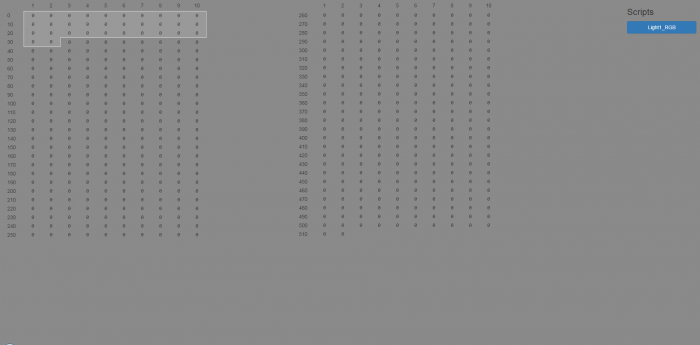
DMX Application⚓︎
The DMX application was made for the 412DMX JNIOR and allows you to control DMX lighting fixtures by editing DMX channel values.
DMX Tabs⚓︎
The DMX application has multiple tabs: fixture types, physical fixtures, scripts, triggers, tools, help.

-
In the Fixture Type Tab, you create fixture types that you can select from the physical fixtures, which defines for them the number of channels that the fixture uses.
-
In the Physical Fixtures Tab, you set the initial channel and fixture type of that physical fixture.
-
The Scripts Tab lets you create a script that sets the addresses of DMX channels.
-
The Triggers Tab activates scripts based on whether inputs or outputs are toggled.
-
The Tools Tab open a dropdown to open the DMX panel.
-
The Links Tab offers a link to the JNIOR's Web Page, along with links to other applications on the JNIOR.
-
The Help Tab offers links to the DMX knowledge base, and to the contact page to reach out for assistance if you need direct help.
Create Scripts to Control your DMX Fixtures.⚓︎
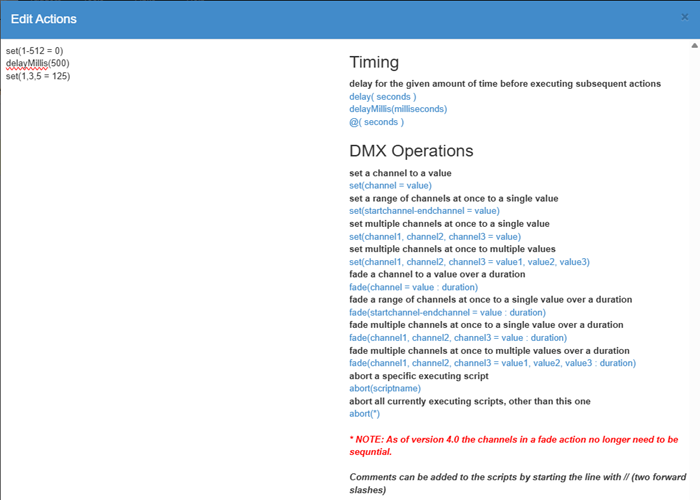
When creating a script, you’ll have you’ll be given a dialog box to type your script, along with a bunch of help options to the right of the script to show you what is possible in the DMX script. You can also click the link on the right to automatically add that feature into your script! An example script below changes all the channels to zero, and then after waiting for .5 seconds sets channels 1,3, and 5 to 125.
Set Triggers to Activate Scripts.⚓︎
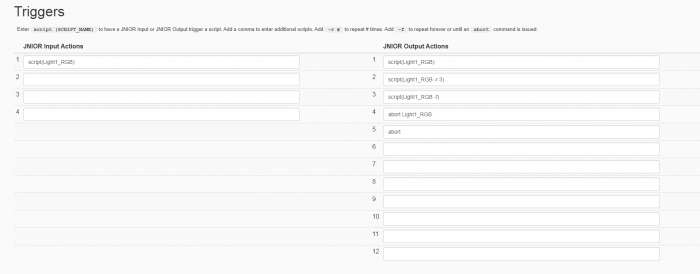
When setting the triggers, each line corresponds with a number for the inputs and outputs located on the JNIOR. You can set any script you created to run from an input/output being activated, running either one, multiple, or an infinite number of times (until an abort is called). The picture below is for a 412 JNIOR, so it will only have 4 input triggers and 12 output triggers.
Clicking the drop-down of the tools bar lets you access either the DCP web page, or the DMX panel, which displays all 512 DMX channels that allowing you to view in real time all the channels in their current state and while running through a script.