Digital Input Actions⚓︎
Set Conditioning State⚓︎
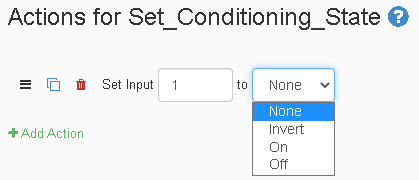
The Set-Conditioning-State Action lets you set the conditioning state for an input. There are 4 conditioning states an input can be set to, None, Invert, On, Off. These names are similar to what they do. "None" gives the input no conditioning state. "Invert" makes the input opposite of what it should be. "On" makes the input always on. "Off" makes the input always off.
| Element | Type | Notes |
|---|---|---|
| Channel | Number | The number has to be one of the available inputs on the JNIOR. |
| State | Dropdown | 'Invert' is the opposite of the inputs current state. |
Soft Invert Input⚓︎
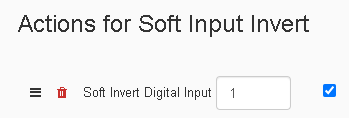
The Soft-Input-Invert Action allows you to invert an input's channel. If the channel is low when its inverted, it becomes high and vice versa. The value field should contain the channel number of the input you are trying to invert. The checkbox tells the action to set the invert field for the input to on or off.
| Element | Type | Notes |
|---|---|---|
| Channel | Number | The number has to be one of the available inputs on the JNIOR. |
| Inversion | Checkbox | If checked, the input gets inverted. If unchecked, removes inversion from the input. |
Set Input Counter⚓︎
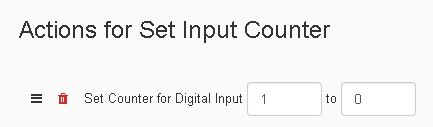
The Set-Input-Counter Action allows you to set the counter keeping track of every time the input has went from Low to High and vice versa. The first value of the action is the input channel that has its counter being set. The second value is the number the counter will be set to for that channel.
| Element | Type | Notes |
|---|---|---|
| Channel | Number | The number has to be one of the available inputs on the JNIOR. |
| Counter | Number | The number you want to set the counter value for the input to. |
Reset Input Usage Meter⚓︎
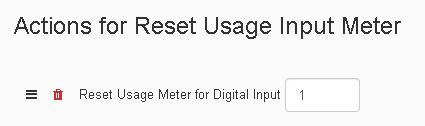
The Reset-Usage-Input-Meter Action allows you to reset the Usage Meter keeping track of how long the input has been in use. The Usage Meter keeps track in hours how long an input has been on in total hours.
| Element | Type | Notes |
|---|---|---|
| Channel | Number | The number has to be one of the available inputs on the JNIOR. |
Clear Input Latch⚓︎
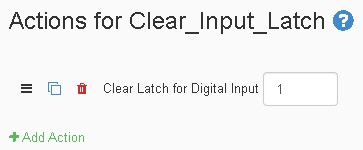
The Clear-Input-Latch Action removes an input latch if one is active on an input. When an input is latched, once it turns on it will stay on until the latch is removed.
| Element | Type | Notes |
|---|---|---|
| Channel | Number | The number has to be one of the available inputs on the JNIOR. |
Soft Pulse Input⚓︎
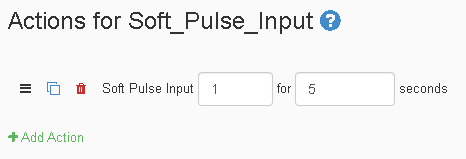
The Soft-Pulse-Input Action inverts the selected input for the set amount of time.
| Element | Type | Notes |
|---|---|---|
| Channel | Number | The number has to be one of the available inputs on the JNIOR. |
| Time | Number | Amount of time the relay should pulse for. |