File Actions⚓︎
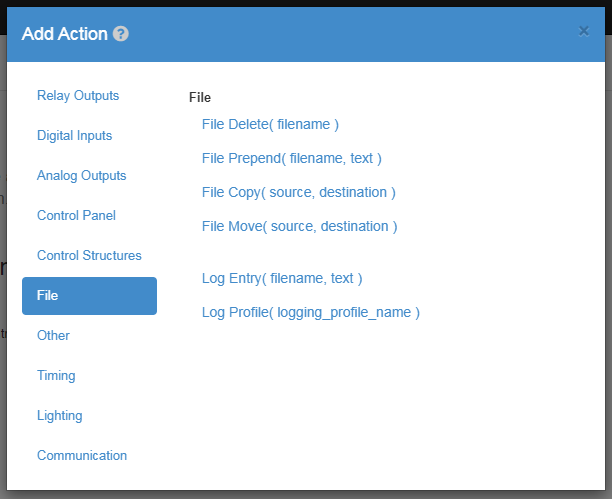
File Delete⚓︎
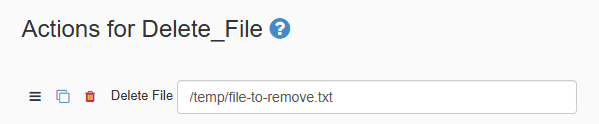
The Delete-File Action allows you to delete a file located on your JNIOR. The value in the action is the file location where the file to be deleted resides.
| Element | Type | Notes |
|---|---|---|
| File Name | String | The source file path of the file to delete. |
File Prepend⚓︎
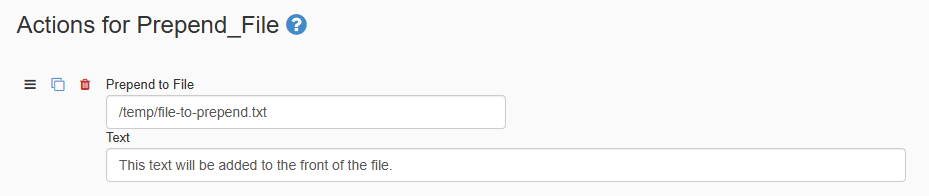
The Prepend-File Action allows you to prepend a file located on your JNIOR, adding the text to the file you define in the value fields. The first value is the text that will be added to the beginning of the file. The second value is the location of the file that is being prepended.
| Element | Type | Notes |
|---|---|---|
| File Name | String | The source file path of the file that will get prepended. |
| Data | String | This is the text that will get prepended to the file. |
File Copy⚓︎

The Copy-File Action allows you to make a copy of a file located on your JNIOR with the name you define in the value field. The first value is the file location of the file you want to copy. The second value is where you want the copy of the file to appear in.
| Element | Type | Notes |
|---|---|---|
| File Name | String | The source file path of the file that will get prepended. |
| File Destination | String | The destination file path where the file will be copied to. |
File Move⚓︎

The Move-File Action allows you to Move a file located on your JNIOR with the name you define in the value field. The first value is the file location of the file to be moved. The second value is the destination that the file will be moved to.
| Element | Type | Notes |
|---|---|---|
| File Name | String | The source file path of the file that will get prepended. |
| File Destination | String | The destination file path where the file will be moved to. |
Log Entry⚓︎

The Log-Entry Action allows you to create or add to a file on the JNIOR that logs text. The first value is the text that you want to log to the file. The second value is the file location where the log will be on the JNIOR. On the end of the location address, you'll also create the filename that you want the file to have. For logging data values of the JNIOR or expansion modules, check out the logging-syntax section.
| Element | Type | Notes |
|---|---|---|
| File Name | String | The source file path of the file that will be logged. Creates a new file at that location if one doesn't exist. |
| Data | String | The text that will be logged to the file. |
Log Profile⚓︎
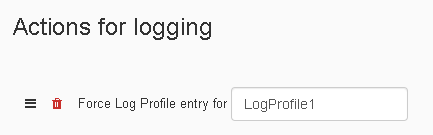
The Log-Profile Action allows you to call a Log Profile that was created in the Loggers tab. For the value field you only need to the enter the name of the logger in the Loggers Tab that you want to activate.
| Element | Type | Notes |
|---|---|---|
| Log Profile Name | String | The name of a logger in the Logger Tab that will activate from this action. |