Control Panel Actions⚓︎
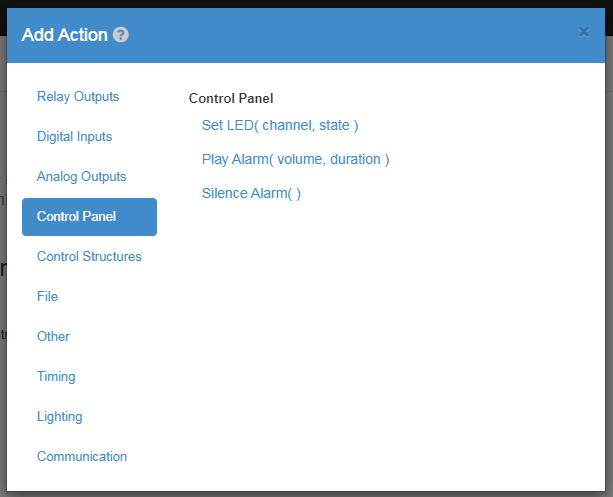
Set LED⚓︎
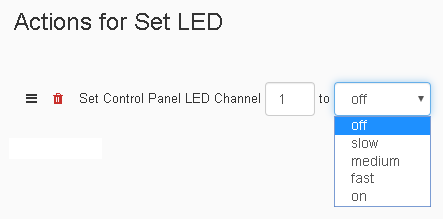
The Set-LED Action changes the LED state of a control panel's channel. The first value in the action is for choosing which channel's LED to set. The second value is a drop down with multiple options ranging from setting the LED to a flashing speed of slow, medium, or fast along with the options of on or off.
| Element | Type | Notes |
|---|---|---|
| Channel | Number | The number has to be one of the available LEDs on the Control Panel. |
| Speed | Number | Sets the speed that the LED blinks. |
Play Alarm⚓︎

The Play-Alarm Action activates the alarm, allowing you to control the rate at which the alarm goes off, the duration, and the volume. The first value in the action is for choosing the rate at which the alarm goes off with the options being, slow, medium, fast, and custom. The second value is the number of seconds you want the alarm to last. The third value is the volume out of 100% you want the alarm to play at.
| Element | Type | Notes |
|---|---|---|
| Speed | Number | How fast the alarm will sound when running. |
| Time | Number | How long the alarm will sound for. |
| Volume | Number | How loud the alarm will be from 0 - 100 |
| Frequency | Number | If custom speed is selected, this sets the frequency of the alarm from 1 - 96. |
| Frequency Duration | Number | If custom speed is selected, this sets the timing of frequency for the alarm. |
Silence Alarm⚓︎
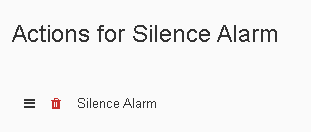
The Silence-Alarm Action ends the alarm from the control panel if it is activated at that moment.
| Element | Type | Notes |
|---|---|---|
| - | - | Will silence the alarm if its actively running. |