View Files on the JNIOR⚓︎
A lot of JNIOR applications log information about what they are doing. Logs help keep track of information about the application itself and if its run into any errors. Here is a quick post on how to look at Logs on a JNIOR.
JNIOR Web Page⚓︎
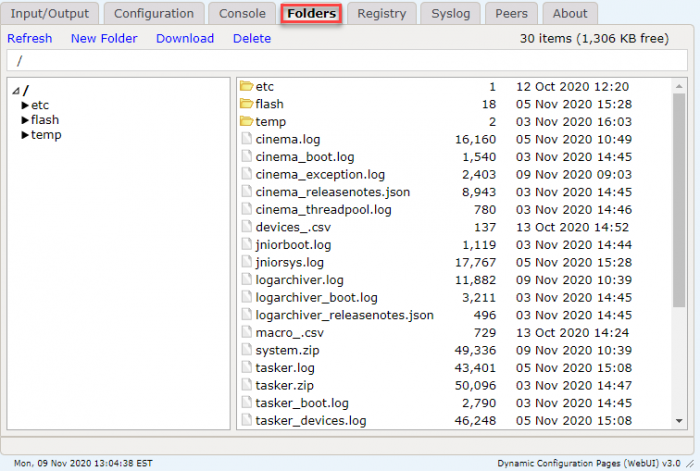
To access information on a Series 4 JNIOR, you’ll first need to open the JNIOR Web Page. Once the on the JNIOR Web Page, you’ll then access the folder tab. Here you can see a list of all the files located on the JNIOR. Navigating through the folder shows the different files you can view, including log files.
FTP⚓︎
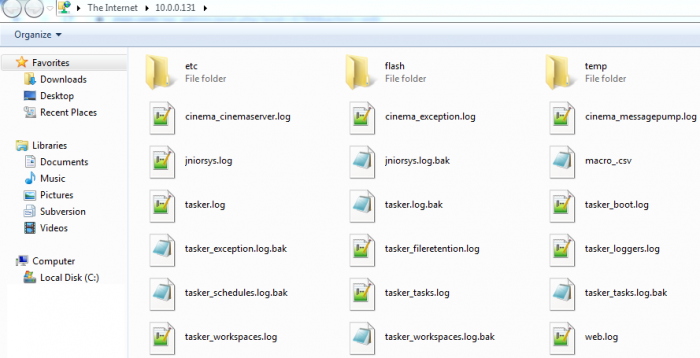
Another way to access files on either a Series 3 or 4 JNIOR, you can open the File Transfer Protocol from the Support Tool. To start you’ll open the Support Tool, then in the beacon tab you’ll right click on the JNIOR and select Tools/Open FTP. You’ll then see a dialog open asking for the JNIOR’s username and password. Once you enter that, you should see all the available files on the JNIOR, including log files.