Relay Output Actions⚓︎
Close Relay⚓︎
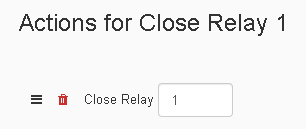
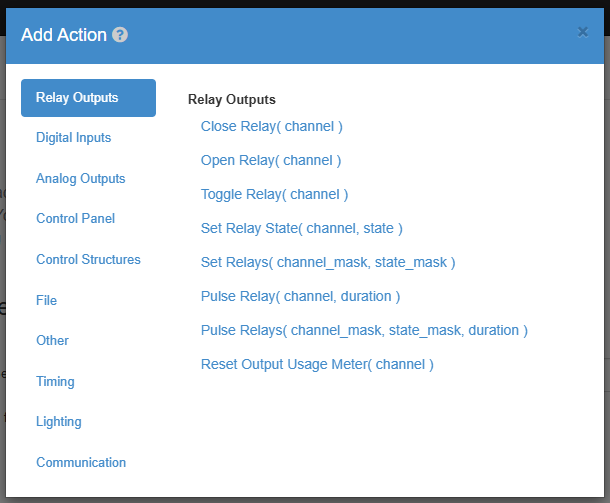
The Close-Relay Action will make a task set an output relay state to high.
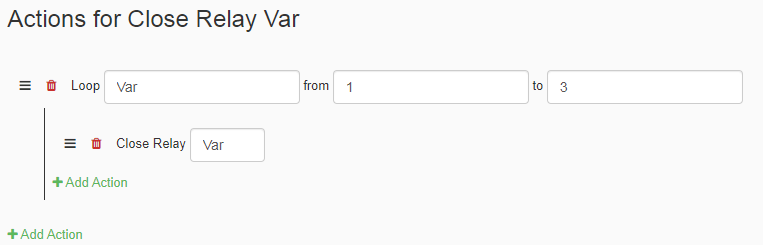
When using the Close-Relay action, you can type in a variable name for the Output Relay Channel. An example of this is in the picture above, which declares a variable in the loop and sets the Relay that will close to the variable as it goes through the loop. So in the example above since the loop starts at 1 and end 3 at three, the loop will first close output 1, then 2, then 3.
| Element | Type | Notes |
|---|---|---|
| Channel | Number | The number has to be one of the available outputs on the JNIOR. |
Open Relay⚓︎
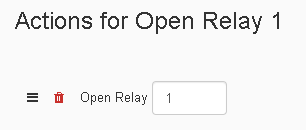
The Open-Relay Action will make a task set an output relay state to low.
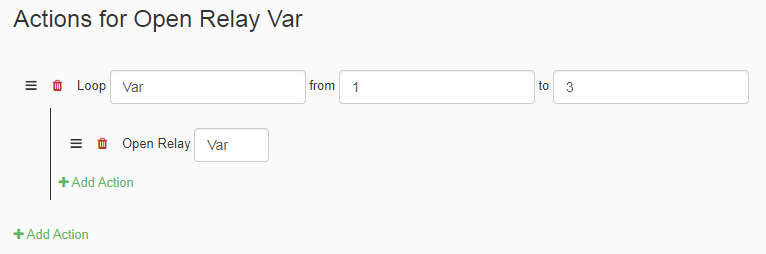
When using the Open-Relay action, you can type in a variable name for the Output Relay Channel. An example of this is in the picture above, which declares a variable in the loop and sets the Relay that will open to the variable as it goes through the loop. So in the example above since the loop starts at 1 and end 3 at three, the loop will first open output 1, then 2, then 3.
| Element | Type | Notes |
|---|---|---|
| Channel | Number | The number has to be one of the available outputs on the JNIOR. |
Toggle Relay⚓︎
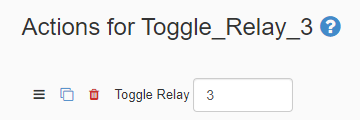
The Toggle Relay Action lets you set the state of the output to the oppisite of what it currently was. If you toggle the output while it was off it will now be on, and vice versa.
| Element | Types | Notes |
|---|---|---|
| Channel | Number | The number has to be one of the available outputs on the JNIOR. |
Set Relay State⚓︎
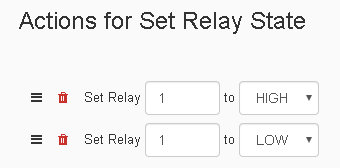
The Set-Relay Action action lets you set the state of a relay output to either HIGH or LOW. When the output state is set to HIGH, the output relay will be closed, and when its set to LOW, the output relay will be open.
| Element | Types | Notes |
|---|---|---|
| Channel | Boolean | Can be set to either HIGH(Closed) or LOW(Open) |
Set Relays⚓︎
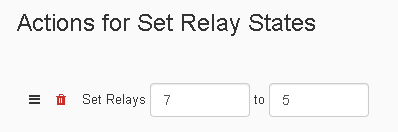
The Set-Relays Action lets you set the state of mulitple outputs using a channel mask and a states mask. The Channel Mask allows you to select which channels will be set to the given State Mask. The State Mask and Channel Mask accept a binary mask. This can be represented as decimal or hexadecimal. To specify the mask as hexadecimal simple put '0x' before the value. For the example above, the channel mask value of 7 equals three outputs which are 1,2 and 4. 7 is also the hexadecimal 0x07. This is then compared to the state mask value of 5, which equals outputs 1 and 4. Because of this outputs 1 and 4 are activated and output 2 is deactivated.
| Element | Types | Notes |
|---|---|---|
| Channel Mask | Number or Hex | This selects what outputs you are referencing to set their state. |
| State Mask | Number or Hex | This gets compared to the state mask, and sets the channels states accordingly. |
Pulse Relay⚓︎
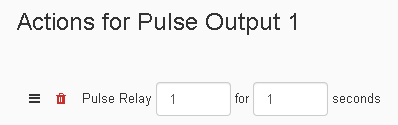
The Pulse-Relay Action allows you to set a Output-Relay high for a certain length of time. The first part of the action requires the channel number of the Output-Relay you wish to pulse. After that the second part of the action requires the time duration in which the Output-Relay to pulse.
| Element | Types | Notes |
|---|---|---|
| Channel Mask | Number | The number has to be one of the available outputs on the JNIOR. |
| Time | Number | Amount of time the relay should pulse for. |
Pulse Relays⚓︎
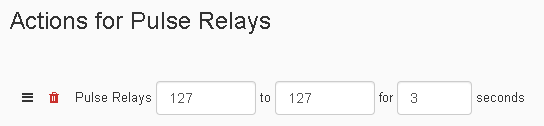
The Pulse-Relays Action lets you pulse the state of mulitple outputs using a channel mask, a states mask, and a duration time. The Channel Mask allows you to select which channels will be set to the given State Mask, and they will pulse for the set duration time. The State Mask and Channel Mask accept a binary mask. This can be represented as decimal or hexadecimal. To specify the mask as hexadecimal simple put '0x' before the value. For the example above, the decimal value of 127 equals seven outputs which are 1,2,3,4,5,6, and 7, and the state mask is also 127 making all those outputs pulse as well. 127 is also the hexidicmal 0x7F.
| Element | Types | Notes |
|---|---|---|
| Channel Mask | Number | The number has to be one of the available outputs on the JNIOR. |
| State Mask | Number or Hex | This gets compared to the state mask, and sets the channels states accordingly. |
| Time | Number | Amount of time the relay should pulse for. |
Reset Usage Output Meter⚓︎
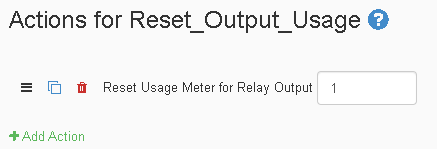
The Reset-Output-Usage-Meter Action lets you reset the usage meter of a relay output that you select, setting it to zero. The Usage Meter keeps track in hours how long an output has been on in total hours.
| Element | Type | Notes |
|---|---|---|
| Channel | Number | The number has to be one of the available outputs on the JNIOR. |