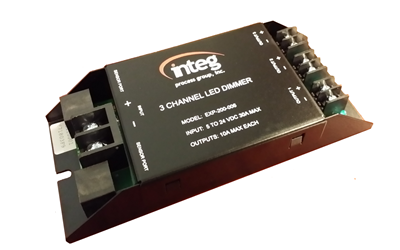
3 Channel Dimmer⚓︎
The 3 Channel Dimmer has an input that handles 5-24DC at 30amps, and outputs that handle 10amps each. As the name implies, each 3 Channel Dimmer has 3 outputs, but they can be wired together as one output. Like all expansion modules, the 3 Channel Dimmer module connects to the JNIOR via the sensor port. Connecting to the JNIOR's sensor port is not only how it communicates with the JNIOR, but how it powers itself as well. Even though the 3 Channel Dimmer powers itself, it will need power supplied to its input to power its outputs. The module itself has 2 sensor ports on it, allowing it to daisy-chain other modules off of it so multiple expansion modules connected at the same time. There is not hard limit to the amount of modules you can connect, but connecting too many can eventually pull too much power from the JNIOR, cause it to shutdown.
Configuration⚓︎
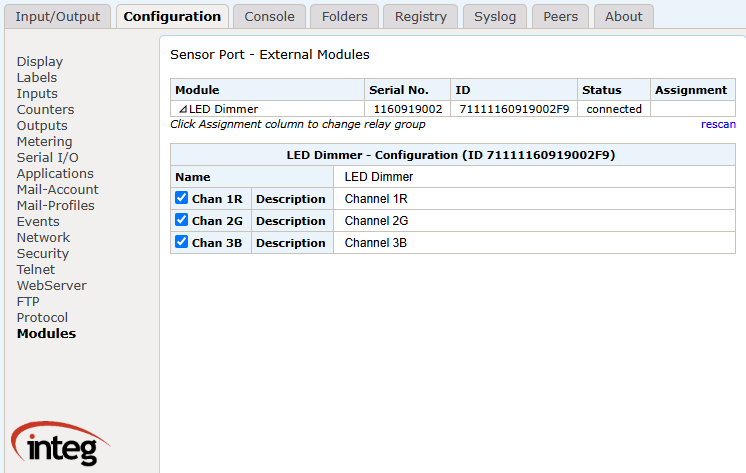
The 3 Channel Dimmer module can be viewed and configured from the JNIOR's webpage once its connected via the sensor port. Depending on what additional expansion modules are connected and when they were connected, the expansion module may display in a different area. A percentage from 1-100% can be viewed and controlled for each output.

For configuring labels in the external section, this can be done from the configuration tab, under the modules section. Each module detected has a dropdown, allowing you to configure each dimmer and it's outputs names.
Application Uses⚓︎
3 Channel Dimmer modules can be referenced in many of the applications that INTEG offers. A few examples are below:
Analog Presets⚓︎
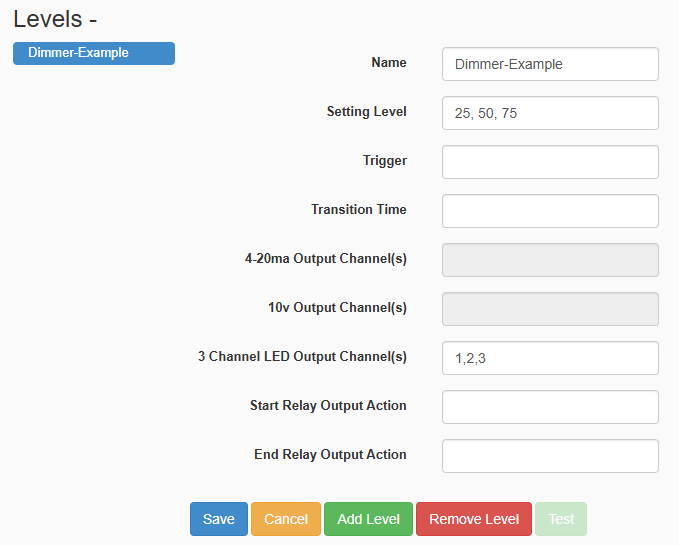
The Analog Presets application is the most straight forward way to control your 3 Channel Dimmer module, allowing 'levels' to be created that when run, set output values to a desired percent.
Tasker⚓︎
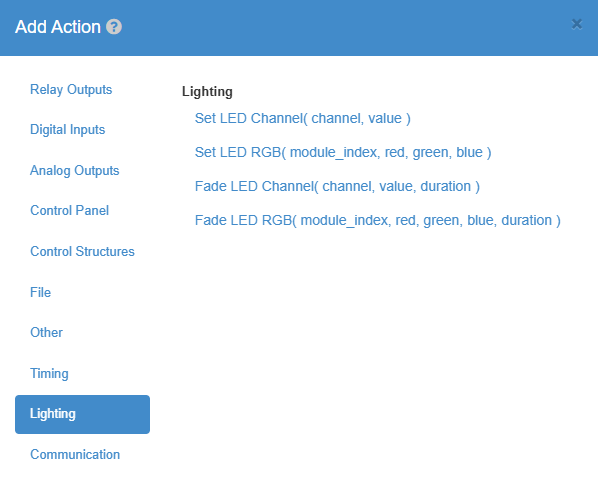
The Tasker application can have a workspace setup to have actions added to it that can set 3 Channel Dimmer outputs.