Flash File System Was Not Mounted⚓︎
If you receive this error after establishing a serial connection, its because the operating system detected an error in the flash file system on boot. The flash was not mounted to protect the file system from any further damage.
To resolve this issue we need to reformat the flash. You can follow the steps below to reformat the flash and reload the unit. If you need to save any files out of flash we can temporarily mount it. If you don’t then you can skip to step 3.
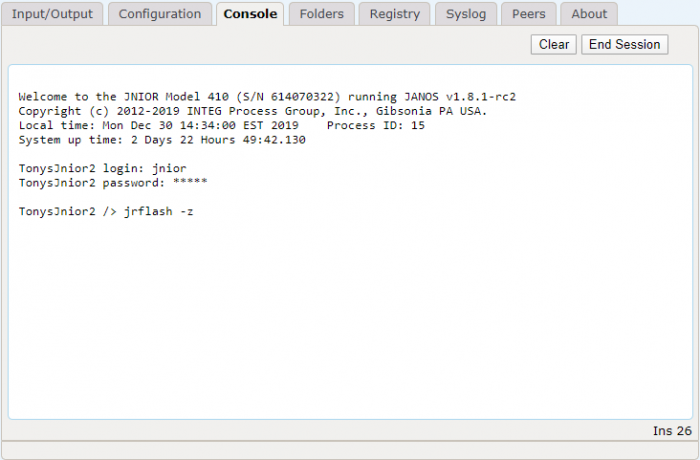
1. jrflash -z⚓︎
This will force the operating system to mount the flash temporarily so that you can recover any needed files. The macro and devices files should also be in RAM at the root of the filesystem.
2. FTP (Optional)⚓︎
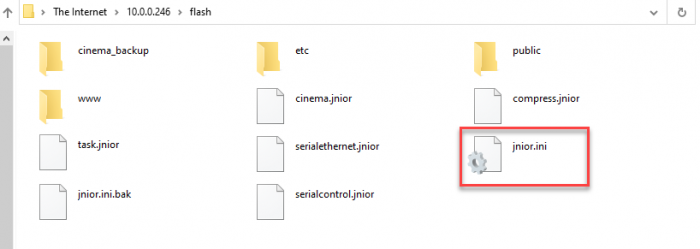
You can use FTP to recover any files from the flash file system. This can be done from the Support tool or Supporter, by right-clicking the unit in Beacon and selecting Tools -> Open FTP. This will use your file explorer to view files on the JNIOR. Here you can grab any files you may need before reformatting the flash. Files may or may not be available depending on where the corruption is in the filesystem structure.
3. jrflash -f⚓︎
This will reformat the flash filesystem. Everything will be lost.
4. Update your unit with the lastest JANOS OS Update Project⚓︎
This will reload all of the files that are loaded when we ship the unit.
5. Run any additional update projects to get the applications running that you depend on.⚓︎
If you had any add-on applications loaded on the JNIOR before reformatting the flash, you can now re-load them onto the JNIOR using their update project.
6. FTP Saved Files (Optional)⚓︎
Use FTP to restore any files that you saved in step 2.
The procedure above will get the unit running again. If you need any additional help or questions, just let us know!