Useradd Command⚓︎
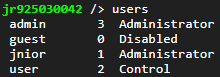
The USERADD command is used to add a new user to the system. There can be as many as 32 users. A unique user name no longer than 9 characters must be specified.
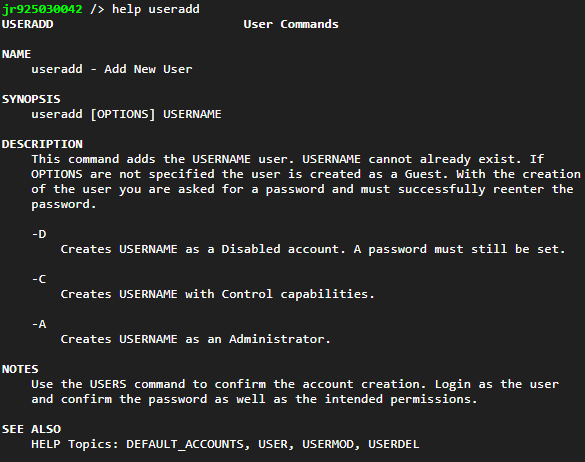
The new account can be tagged as Administrator, Control, or Disabled using the appropriate options. These account tags are described in detail in the USERS command topic.
The following command creates the ‘tech’ account which will be tagged with Control permissions. It will initially be Disabled.
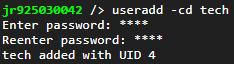
Note that an initial password is requested. The password can later be changed using the PASSWD command.