Mode Command⚓︎
The MODE command is rarely used and has one specific purpose. It controls whether or not the RS-232 (COM) port at the bottom of the JNIOR next to the LAN port is to be used for boot messages and command line interaction.
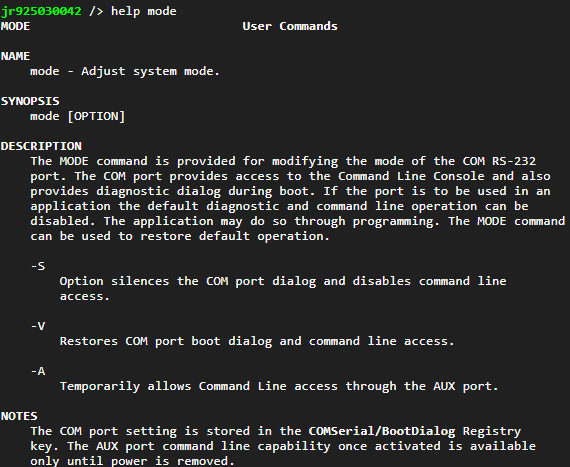
Issue the MODE command without parameters and it will display the current status of the “diagnostics port”. By default it is enabled. You would disable this if you were to use that serial port as part of your application to communicate with another device. In that case any spontaneous messages or command line interception would cause your protocol communications to fail, so you disable it.
To disable the diagnostics port, issue the MODE -S command. You can think of the ‘S’ option as being “Silent”.
To enable the diagnostics port, issue the MODE -V command. Okay in this case the option perhaps means “Verbose”. This is the default.
The MODE -A enables the AUX port for command line interaction. Once you issue the MODE -A command any character received on the AUX port will start a command line process there. You cannot disable this mode. It is reset on reboot.
This “feature” was added to facilitate production program and test. The builder that initially programs the JNIOR and tests all of its I/O uses a command line connection through the AUX port to test the AUX port.