Grep and Egrep Commands⚓︎
This command searches a text file for matches to a specified search string. Each line containing a match is displayed. GREP searches for an exact match to the string. Case-dependent and case-independent searches are possible. Regular Expressions (REGEX) are used with EGREP or when optionally selected.
In this example, we use the Grep command to find any line in the jniorsys.log file using the string 'jnior' in it:
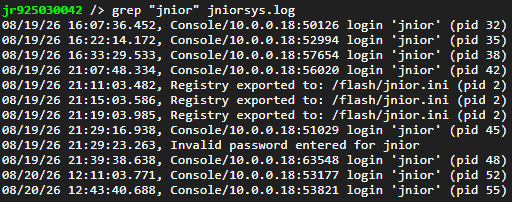
When using a string to search a file, by default that string is case sensitive. This is shown from doing the same search from before, but the string now has a capital 'J':

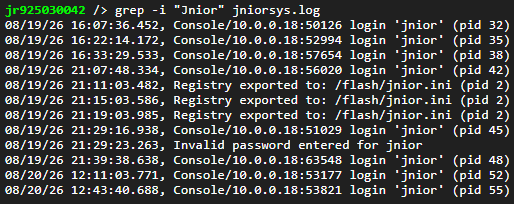
As you can see, no results got returned because 'Jnior' isn't in the jniorsys.log, just 'jnior'. To make a search case insensitive, you can use -i in your command:
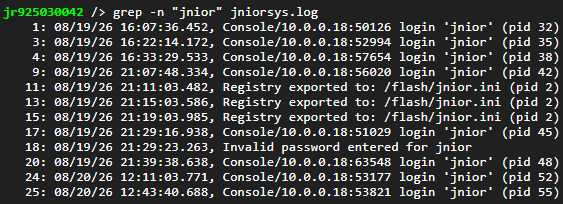
Finding your string in the file is nice, but you may also want to know where in the file it has occurred for further review. Using -n in your command adds line numbers next to your search results, so you can locate them easily within your log file:
Sometimes, rather then finding every specific instance your string occurs, you just want to know how many times it does instead. Using -c in your command will return the count, show the amount of times your search found a result:

Similarly, using Egrep can search though a file, but by default uses regular expressions when searching. For example, this line searches the jniorsys.log for whenever 'login' followed by a space and a word appears in it, telling us any time a login occurred:
