Reading Tesla Powerwall State of Charge Locally
Summary: Retrieve actual Tesla Powerwall state of charge directly from the local Powerwall Gateway. We show how a JNIOR running JANOS v2.6 uses HTTPS, HTTP and JSON to acquire the data and integrate it into a real-time solar monitoring system.
In our earlier article, [JNIOR Monitors Solar], we described how a JNIOR is used to monitor a residential solar installation incorporating four SMA inverters, power metering and a Tesla Powerwall battery system.
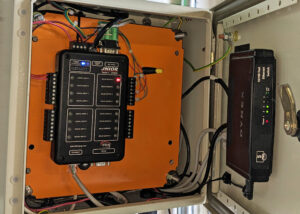
Solar Monitoring
At the time, one piece of information remained elusive: the actual Powerwall state of charge. While that information was readily available through the Tesla mobile app, we did not have a documented means of obtaining it directly. Instead, the JNIOR estimated battery charge from measured power flow.
Since then, we have implemented a direct local connection to the Tesla Powerwall Gateway. This provides the actual state of charge without involving a cloud service. It also gave us a useful real-world application for the new HTTP client classes included with JANOS v2.6.
A Note About the Powerwall Interface
The local Powerwall Gateway provides an HTTPS interface through which operating information can be obtained. This interface is not part of Tesla’s published Fleet API and, to our knowledge, is not officially documented or supported by Tesla. As an undocumented interface, its behavior may change with future Tesla firmware updates.
The interface has, however, been extensively explored and documented by the Powerwall user community. Our implementation uses the same local login and state-of-energy endpoints documented by the open-source pyPowerwall project on GitHub.
The discussion and example code that follow describe what works with our Powerwall installation today. They should not be interpreted as documentation or endorsement of this interface by Tesla.
Programming the JNIOR
The JNIOR is a small industrial controller running the JANOS operating system. In addition to its built-in I/O and automation capabilities, applications can be written in Java and executed directly on the controller.
There is no specialized embedded development environment. JNIOR applications are ordinary Java programs developed using a standard Java IDE, compiled into JAR files and transferred to the controller for execution.
JANOS provides the Java runtime along with classes for accessing the JNIOR hardware and operating-system services. The upcoming JANOS v2.6 release adds HTTP client classes for communicating with web services and networked devices.
For our Powerwall application, everything needed to establish the secure connection, issue HTTP requests and process JSON responses is available directly in the JNIOR runtime. No additional libraries or supporting computer are required.
Connecting to the Powerwall
Communication with the Powerwall Gateway requires a secure HTTPS connection. The process is straightforward. We first log in to obtain an authentication token and then use that token to request the current state of charge.
The new JANOS HTTP client makes the secure connection simple:
HttpClient client = new HttpClient("192.168.2.45");
client.setSecure(true);
client.setKeepAlive(true);
Here 192.168.2.45 is the local IP address assigned to our Powerwall Gateway. Enabling setSecure(true) selects HTTPS, while the persistent connection allows us to reuse the connection for subsequent requests.
The login information is supplied as JSON:
Json json = new Json();
json.put("username", "customer");
json.put("password", "*****");
json.put("email", "*****************");
json.put("force_sm_off", false);

HttpRequest request =
    new HttpRequest(HttpRequest.Type.POST, "/api/login/Basic");
request.setContent(json);

HttpResponse response = client.invoke(request);

json = response.getJson();
String token = json.getString("token");
At this point we have an authentication token. That token is included with the request for the Powerwall state of energy:
request = new HttpRequest("/api/system_status/soe");
request.putHeader("Authorization", "Bearer " + token);

response = client.invoke(request);

json = response.getJson();
double raw = json.getDouble("percentage");
That’s essentially it. The JNIOR has established the TLS connection, performed an HTTP POST containing JSON, processed the JSON response, supplied the returned bearer token with an HTTP GET and extracted the reported battery percentage from the resulting JSON.
The production code, of course, needs to deal with unsuccessful requests, expired authentication, lost connections and other errors. We’ll add that shortly. First, there is one detail concerning the percentage returned by the Powerwall that deserves some explanation.
Scaling the State of Charge
There is one additional detail. The percentage returned by the Powerwall Gateway does not directly correspond to the 0–100% state of charge displayed by the Tesla app.
The Gateway value appears to include a 5% reserve at the bottom of the battery capacity. As a result, the usable range reported to the owner as 0–100% corresponds approximately to Gateway values of 5–100%.
We compensate for this by rescaling the value:
double raw = json.getDouble("percentage");
double perc = (raw - 5.0) / 0.95;

if (perc < 0.0)
    perc = 0.0;
if (perc > 100.0)
    perc = 100.0;
For example, a raw Gateway value of 52.5% becomes 50% after scaling. This produces a value that agrees closely with the state of charge displayed by the Tesla app.
This same 5% adjustment has also been identified by the Powerwall user community and is documented by the open-source pyPowerwall project.
The Complete SOC Routine
The abbreviated example above shows the basic Powerwall transaction. The actual routine used by our monitoring application adds error handling and connection recovery.
Our approach is intentionally simple. The HTTP client and authentication token are retained between calls so that the Powerwall is not required to authenticate on every one-minute polling cycle. If an operation fails, however, we discard whatever state may no longer be valid and allow the next call to establish a fresh connection and, if necessary, obtain a new token.
Here is the complete routine:
private static double PW_getSOC() throws Throwable {

    // requires secure connection
    if (client == null) {
        client = new HttpClient("192.168.2.45");
        client.setSecure(true);
        client.setKeepAlive(true);
    }

    // requires token
    if (token == null) {

        System.out.println("login");
        JANOS.syslog("[TESLA] attempting login");

        // JSON request
        Json json = new Json();
        json.put("username", "customer");
        json.put("password", "*****");
        json.put("email", "*****************");
        json.put("force_sm_off", false);

        HttpRequest request =
            new HttpRequest(HttpRequest.Type.POST, "/api/login/Basic");
        request.setContent(json);

        // process
        HttpResponse response = client.invoke(request);

        // fetch token if we are successful
        if (response.getStatus().equals("200")) {
            json = response.getJson();
            String tok = json.getString("token");

            if (tok != null && tok.length() > 30) {
                token = tok;
                JANOS.syslog("[TESLA] login successful");
            }
        }
        else {
            token = null;
            client.close();
            client = null;

            JANOS.syslog("[TESLA] login failure");
            return -1.0;
        }
    }

    // confirm login
    if (token == null) {
        client.close();
        client = null;

        JANOS.syslog("[TESLA] login required");
        return -2.0;
    }

    System.out.println("read");

    HttpRequest request = new HttpRequest("/api/system_status/soe");
    request.putHeader("Authorization", "Bearer " + token);

    HttpResponse response = client.invoke(request);

    // check for login requirement
    if (!response.getStatus().equals("200")) {
        client.close();
        client = null;
        token = null;

        JANOS.syslog("[TESLA] unable to read");
        return -3.0;
    }

    Json json = response.getJson();
    double raw = json.getDouble("percentage");
    double perc = (raw - 5.0) / 0.95;

    if (perc < 0.0)
        perc = 0.0;
    if (perc > 100.0)
        perc = 100.0;

    return perc;
}
There are several choices being made here.
The HttpClient is created only when needed and configured to maintain a persistent connection. Likewise, the authentication token is cached after a successful login. Under normal conditions, therefore, repeated calls to PW_getSOC() require only the single request for /api/system_status/soe.
If authentication fails, the connection is closed and discarded. A subsequent call begins again with a new client and another login attempt.
Similarly, if the state-of-energy request returns anything other than a successful HTTP status, both the connection and token are discarded. We do not try to determine whether the failure was caused by an expired token, a broken persistent connection, a Powerwall restart or some other temporary condition. On the next polling cycle the application simply starts cleanly.
The negative return values allow the calling application to distinguish a failed reading from a legitimate battery percentage. In our application an unsuccessful reading is simply ignored and another attempt is made on the next one-minute cycle.
There are certainly other ways to handle these conditions. An application might inspect individual HTTP status codes, retry immediately, implement backoff timing or preserve authentication across particular failures. For this monitoring application, however, abandoning questionable state and trying again on the next cycle has proven both simple and effective.
Running as a Monitoring Thread
Our solar monitoring application performs a number of tasks simultaneously. Rather than creating a separate application solely for Powerwall monitoring, we implement the monitor as a Runnable and execute it as another thread within the existing application.
The basic monitor is quite simple:
class Tesla_Monitor implements Runnable {

    @Override
    public void run() {

        // loop
        while (true) {

            // repeats once per minute
            long cycle = 60000;
            System.sleep(cycle -
                (Timebase.currentTimeMillis() % cycle));

            // read Powerwall SOC
            try {
                double perc = PW_getSOC();

                if (perc >= 0.0) {
                    // process the new SOC value
                }
            }
            catch (Throwable e) {
                token = null;

                if (client != null)
                    client.close();

                client = null;

                JANOS.syslog("[TESLA] exception generated");
                e.printStackTrace(System.err);
            }
        }
    }
}
The choice between implementing this as a thread or as a separate JNIOR application is largely an architectural one. JANOS supports multiple independently executing Java applications, so either approach is practical.
Here the Powerwall monitor is simply another function of the larger solar monitoring application. A thread keeps that related functionality together while allowing it to operate independently of the application’s other activities.
The timing deserves a little attention. Rather than sleeping for 60 seconds following each reading, the thread calculates the time remaining until the next minute boundary:
System.sleep(60000 -
    (Timebase.currentTimeMillis() % 60000));
Consequently, execution occurs on minute boundaries rather than slowly drifting as the time required to perform each reading accumulates.
The exception handler follows the same recovery philosophy used in PW_getSOC(). If something unexpected occurs, the connection and authentication state are discarded. The thread remains alive and makes a fresh attempt on the next minute boundary.
Making the Data Available
Obtaining the Powerwall state of charge is only part of the job. The value needs to be available to the rest of the monitoring system.
Our solar monitoring application consists of several asynchronous operations acquiring information from different sources. The JANOS Registry provides a convenient central location for that data. Registry values can be shared between applications and can also be viewed in real time using the Registry tab in the JNIOR WebUI.
The Powerwall monitoring thread stores the acquired state of charge along with the calculated battery energy and a timestamp:
double perc = PW_getSOC();

if (perc >= 0.0) {
    double energyKWh = perc * 42.0 / 100.0;

    JANOS.setRegistryString(
        "Metering/$BatteryEnergy",
        Double.toString(energyKWh));

    JANOS.setRegistryString(
        "Metering/$BatteryLevel",
        String.format("%.4f", perc));

    JANOS.setRegistryString(
        "Metering/$BatteryTeslaMark",
        timeStamp);
}
In our installation the three Powerwalls provide approximately 42 kWh of usable storage, so the reported percentage can also be converted into an estimate of the energy presently stored.
Using the Registry provides a useful separation between data acquisition and data consumption. The Powerwall thread does not need to know who will use the information. It simply updates the Registry whenever a new reading is available. Other applications can use those values independently.
It also gives us a convenient monitoring interface during development and operation. Opening the Registry tab in the JNIOR WebUI lets us watch the values change in real time and immediately confirms that the acquisition process is operating.
Finally, our main server periodically polls this JNIOR for the complete set of solar data. A small metering.php page running directly on the JNIOR collects the current Registry values and returns them as JSON. The server therefore does not need to communicate independently with the Powerwall, SMA inverters or individual metering applications. Those asynchronous processes acquire the data, the Registry provides the common repository, and the JNIOR presents the resulting information through a single interface.
A Built-in Web Server
JANOS also includes a web server. In addition to providing the standard JNIOR WebUI, it can host custom web content and provides server-side processing for dynamic pages.
In our solar installation, this provides a simple interface between the JNIOR performing data acquisition and the main server where the historical data is maintained in a MySQL database. A cron job on that server polls metering.php every 10 seconds and uses the returned JSON data to update the database tables.
The entire server-side page is quite small:
<?php
    $keys = getRegistryList("Metering", false);

    $query = array();
    foreach ($keys as $key) {
        $pos = stripos($key, "/$");
        if ($pos !== false) {
            $name = substr($key, $pos + 2);
            $value = getRegistryString($key, '0');
            $query[$name] = $value;
        }
    }

    header("Content-Type: application/json");
    echo json_encode($query);
?>
The $ in the Registry key names has a special meaning on the JNIOR. A key beginning with $ is considered dynamic; its value is expected to change frequently. Dynamic values are not preserved in the Registry backup (INI) file. Since that backup resides in Flash memory, this avoids unnecessary Flash writes as rapidly changing measurements are updated.
For example, the Powerwall monitor maintains:
Metering/$BatteryEnergy
Metering/$BatteryLevel
Metering/$BatteryTeslaMark
The $ designation is useful internally to JANOS but has no meaning to the server consuming the data. The metering.php page therefore uses it both to identify the dynamic measurements to be exported and then removes it when constructing the JSON property names.
This gives the main server a single simple interface to the JNIOR. It does not need to know how the individual measurements were obtained or even that some came from separate asynchronously running applications. It simply polls one HTTP endpoint for the current data.
The same web server can, of course, be used to create a complete custom website hosted directly by the JNIOR. Here we need only a small dynamic endpoint connecting the real-time acquisition system to our historical database.
Closing Thoughts
Our original solar monitoring system estimated Powerwall state of charge from measured energy flow. Access to the Powerwall’s local interface gave us the opportunity to replace that estimate with an actual measurement.
The implementation itself turned out to be quite simple. A JNIOR application establishes a secure connection to the Powerwall Gateway, authenticates, retrieves the state of charge and places the result in the Registry. From there the value becomes just another measurement available to other applications, the WebUI and our external data collection system.
Along the way we have exercised a number of capabilities built directly into JANOS: Java application support, multithreading, TLS, HTTP client services, JSON processing, the Registry and the embedded web server. The new HTTP runtime classes in JANOS v2.6 make the Powerwall interface particularly straightforward.
The local Powerwall interface remains undocumented by Tesla and could change in the future. That is something our application will have to accommodate if it occurs. For now, though, it provides exactly what we were looking for: a simple way to incorporate actual Powerwall state of charge into the rest of our solar monitoring system.
References
JNIOR Monitors Solar — Background on the solar monitoring installation and the JNIOR-based supervisory system described in this article.
https://jnior.com/jnior-monitors-solar/
Tesla Fleet API — Energy Endpoints — Tesla’s officially published API for Powerwall and other Tesla Energy products. The Fleet API is separate from the local Powerwall Gateway interface used in this article.
https://developer.tesla.com/docs/fleet-api/endpoints/energy
pyPowerwall — Jason Cox’s open-source Python library and documentation for accessing Tesla Powerwall data. The project documents the local Powerwall Gateway endpoints, including /api/login/Basic and /api/system_status/soe, used by our implementation.
https://github.com/jasonacox/pypowerwall
∎